

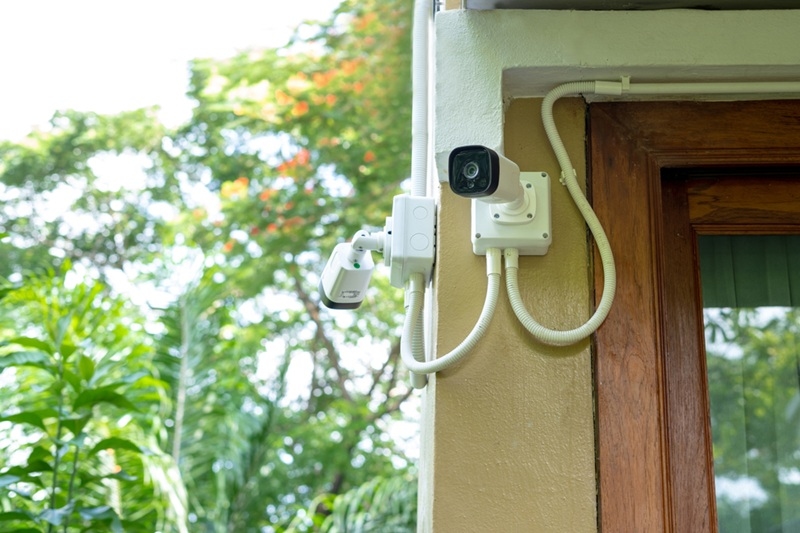
Home security has come a long way lately. Cameras aren’t just quiet observers tucked into corners anymore. They’re smarter and faster, and now they work with other devices in your home, reacting in real time.
If you’ve been considering an upgrade, you’re in good company. Homeowners all over the US are using modern systems that pull together cameras, sensors, and mobile controls. The tricky part is picking one—the choices feel endless. So let’s clear things up. Here’s a look at the best home security cameras in 2026, why they’re worth your attention, and how they actually fit into daily life.
It’s not just about how sharp the picture is anymore. Reliability, built-in smarts, and how easily a camera works with your other tech all matter just as much. These are the standouts for this year, chosen for real performance and everyday usefulness.
There’s a reason you keep seeing this one at the top of lists. The Arlo Pro 5S gives you crisp 2K video, excellent night vision, and some of the smartest motion detection out there—it can even tell the difference between people, cars, or animals. It links up smoothly with other smart home gear, which is a big plus.
Highlights:
It’s flexible, reliable, and loaded with features.
Google took everything that made its cameras easy to use and made it even better. The Nest Cam now offers smart alerts, the option for continuous recording, and tight integration with Google Home. Setting up is a breeze, and the app just makes sense. If you’re already using Google gear, it slips right into place.
Highlights:
If you want something simple but smart, this one’s a strong pick.
Ring is still a huge name for a reason. The Spotlight Cam Plus does more than watch—it lights up and sounds a siren when it senses trouble. It’s built to stop intruders, not just film them. Sometimes that extra layer makes a difference.
Highlights:
It’s practical and straightforward, and you can easily add more pieces later.
This one’s for people who care about privacy. The EufyCam 3 keeps your video stored locally, not on a cloud server you don’t control. At the same time, you get gorgeous 4K video and good battery life.
Highlights:
If you want full control over your data and still want great performance, this camera hits the mark.
Some folks want security without the big price tag—and that’s Wyze’s sweet spot. The v4 gives you solid features like HD video, motion alerts, and easy phone access, all for next to nothing compared to rivals. It’s not the fanciest, but it works.
Highlights:
Sometimes, less is more.
It’s easy to get distracted by fancy specs. But let’s keep it real—here’s what’s actually important:
You want a clear video—nothing less than 1080p, but 2K or 4K is even better. Night vision is just as critical, especially if you’re covering your yard or driveway. Most break-ins don’t happen at noon.
Modern cameras don’t just go off every time a tree moves. Good ones can tell if it’s a person, a car, or your dog. That means you get alerts you actually care about.
You’ll pick between cloud storage and local storage. Cloud options are easy, and you can check your video from anywhere. Local storage means more privacy and no ongoing costs. Pick what matters most to you.
Don't Miss: Top Budget Smart Home Devices to Buy in the Year 2026
Everyone’s situation is different, and that’s where most people get stuck. Let’s make the choice easier.
Start with location. Indoor cameras are usually smaller and stick to watching one room. Outdoor cameras handle extremes—weather, bad lighting, sometimes even tampering.
Wireless cameras are easy to set up and move. Wired ones give steadier connections and don’t ever need battery changes.
Here’s the trade:
Most folks go wireless unless they’re after full-house coverage.
Cameras work best as part of a team, not alone. That’s when things get interesting.
Today’s security setups often mix in doorbell cameras, smart locks, sensors, and alarms. When they talk to each other, they create a chain of protection. Imagine: Camera sees movement, lights pop on, you get a ping on your phone—happens almost instantly.
You can now check in from anywhere, see live footage, talk through the camera, or review alerts—all from your phone. Not that long ago, this was something only businesses could afford. Now, it’s standard.
Suggested Reading: How to Create a Budget Step-by-Step and Also Stick With It?
Even great gear can fall short if it’s not used right. Watch out for these:
Angle matters. Too high or the wrong direction? You’ll miss what’s important. Focus on entrances, driveways, or ground-floor windows.
Your camera’s only as safe as your Wi-Fi. Use strong passwords. Keep devices updated. Simple stuff, but often overlooked.
Also Read: Online Shopping Tips: A Guide to Smarter and Safer Buys
The best home security cameras in 2026 do a lot more than record. They give you control, help you respond faster, and make life simpler. Whether you go with a top-tier Arlo or a budget Wyze, the real win is finding something that matches your life—not just your house.
Security doesn’t have to be overwhelming. Start with a solid camera, learn how it works, and build from there. Over time, you’ll have a system that’s rock-solid and easy to live with.
Most cameras stop working during power outages unless they have battery backup. Some advanced models continue recording locally, but internet features may still be limited.
Yes, but it’s relatively rare if proper precautions are taken. Using strong passwords, enabling two-factor authentication, and keeping firmware updated significantly reduces risk.
Most cameras work well with 2 to 5 Mbps upload speed per device. Higher resolution cameras like 4K may require more bandwidth for smooth streaming and recording.
Not always. Some Home Security Camera brands offer local storage without fees, while others provide cloud storage and advanced features through subscriptions. It depends on your preference for convenience versus control.
This content was created by AI